
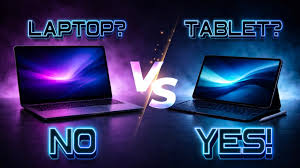
Introduction
Choosing between a laptop and a tablet in 2026 is harder than ever. Tablets are faster, smarter, and more powerful than older models. Laptops are lighter, have longer battery life, and remain strong productivity machines. Both devices can help with work and study—but they are built for different needs.
If you are a student, freelancer, office worker, or casual learner, picking the right device can save money and improve productivity. The best option depends on what tasks you do every day.
Some people need full software, multitasking, and typing comfort. Others want portability, touch controls, and handwritten notes. In many cases, one device clearly fits better than the other.
This complete guide compares laptop vs tablet for work and study in 2026 using real-world factors like speed, battery, portability, note-taking, software, and value.
Quick Answer
- Choose a laptop if you write documents, multitask, code, use spreadsheets, or need full desktop apps.
- Choose a tablet if you read, take notes, attend classes, travel often, or prefer touch + stylus input.
- Choose both if your budget allows and you need maximum flexibility.
Laptop vs Tablet: Main Differences in 2026
| Feature | Laptop | Tablet |
|---|---|---|
| Typing | Better | Good with keyboard case |
| Portability | Good | Excellent |
| Battery Life | Very Good | Excellent |
| Full Software | Best | Limited on some apps |
| Note Taking | Fair | Best with stylus |
| Multitasking | Excellent | Good |
| File Management | Better | Simpler |
| Entertainment | Good | Excellent |
| Coding/Heavy Work | Best | Limited |
1. Performance: Which Is Faster?
Laptops still lead for serious performance in 2026.
They handle:
- Large spreadsheets
- Many browser tabs
- Video editing
- Programming
- Graphic design
- Heavy multitasking
Modern tablets are now very fast for daily tasks like:
- Browsing
- Watching videos
- Emails
- Online classes
- Light office work
- Social media
But when workloads grow heavier, laptops remain the safer choice.
Best Choice:
Laptop
2. Portability: Which Is Easier to Carry?
This is where tablets shine.
Most tablets are thinner, lighter, and easier to carry in one hand. They are ideal for:
- Travel
- Coffee shop work
- Reading in bed
- Taking to class
- Quick use on the go
Laptops are portable too, but they are bulkier and need more space.
Real Example
A student walking between classes may prefer a tablet. A remote worker sitting at a desk all day may prefer a laptop.
Best Choice:
Tablet
3. Typing and Productivity
If you write essays, reports, emails, or long assignments, laptops still win.
Why?
- Built-in keyboard
- Better trackpad
- Comfortable for long sessions
- Easier shortcuts
- Faster workflow
Tablet keyboards have improved, but many users still feel laptops are easier for sustained work. Reddit users discussing productivity in 2026 repeatedly noted laptops feel more natural for long sessions.
Best Choice:
Laptop
4. Note Taking and Studying
For students, tablets are extremely strong in 2026.
With a stylus, you can:
- Write notes by hand
- Highlight PDFs
- Draw diagrams
- Organize digital notebooks
- Annotate lecture slides
Many students prefer tablets for learning because handwriting and visual notes feel more natural than typing.
Best Choice:
Tablet
5. Battery Life
The gap between laptops and tablets is smaller now.
Modern laptops often last all day, while tablets still remain excellent for battery efficiency.
Typical use:
- Tablets: 8–12+ hours
- Laptops: 6–12 hours depending on model and workload
Best Choice:
Tablet (slight edge)
6. Software and Apps
This is one of the biggest deciding factors.
Laptops Support:
- Full Microsoft Office
- Adobe tools
- Coding software
- Desktop browsers
- Accounting software
- Professional apps
Tablets Support:
- Mobile apps
- Web apps
- Lighter versions of productivity software
If your course or job needs special programs, a laptop is usually required.
Best Choice:
Laptop
7. Multitasking
Need many windows open at once?
Examples:
- Zoom + Notes + Browser
- Excel + Email + Calculator
- Research + Writing + Sources
Laptops are better at multitasking with multiple windows and easier navigation. Tablets support split screen, but it is still more limited for power users.
Best Choice:
Laptop
8. Entertainment and Casual Use
For streaming, reading, gaming, and relaxing, tablets are often better.
Why?
- Easier to hold
- Great screens
- Touch controls
- Perfect for couch or bed use
- Simple and instant access
Best Choice:
Tablet
Best Device by User Type in 2026
Students
Best Choice: Tablet + Keyboard (or Laptop if budget allows)
If you mostly:
- Attend classes
- Read notes
- Watch lectures
- Annotate PDFs
Tablet is excellent.
If you also write research papers or use software, choose laptop.
Office Workers
Best Choice: Laptop
For spreadsheets, meetings, documents, and multitasking, laptops are better.
Freelancers
Best Choice: Laptop
Especially for:
- Graphic work
- Writing
- Managing files
- Client work
- Editing videos
Creators / Artists
Best Choice: Tablet
For drawing, sketching, handwriting, and touch-based creativity.
Travelers
Best Choice: Tablet
Small, light, and long battery life.
What About 2-in-1 Devices?
2-in-1 laptops and hybrid devices are growing in 2026.
They offer:
- Laptop keyboard
- Touch screen
- Stylus support
- Foldable design
These are great if you want both worlds, though sometimes more expensive.
Budget Considerations
Tablet Hidden Costs
Many people forget extra costs:
- Keyboard case
- Stylus
- Storage upgrades
- Cloud subscriptions
Laptop Hidden Benefits
Often includes:
- Built-in keyboard
- Ports
- Full OS
- Better value for work
So a tablet may look cheaper at first, but total cost can rise.
Common Mistakes to Avoid
Do Not Buy a Tablet If:
- You need full software
- You write long assignments daily
- You code or multitask heavily
Do Not Buy a Laptop If:
- You mainly read, watch, and take notes
- You travel constantly
- You prefer handwriting
Final Verdict: Which Device Is Better in 2026?
There is no single winner for everyone.
Choose a Laptop If You Need:
- Serious work
- Long typing sessions
- Full apps
- Coding
- Multitasking
- Reliability
Choose a Tablet If You Need:
- Portability
- Note-taking
- Reading
- Entertainment
- Light work
- Stylus input
Best Overall for Most People:
Laptop
Best for Students and Casual Users:
Tablet
Best If Budget Allows:
Laptop + Tablet Combo
Conclusion
In 2026, tablets are more capable than ever, but laptops still lead for serious work and study. Tablets are amazing companions for mobility, notes, and everyday tasks. Laptops remain the productivity king for typing, multitasking, and professional software.
If you only want one device, choose based on your daily habits—not trends.
The right device is the one that fits your real life.
FAQ
1. Can a tablet replace a laptop in 2026?
For light work, yes. For heavy work, coding, or professional software, usually no.
2. Is a laptop better than a tablet for students?
Usually yes, but tablets are excellent for notes and reading.
3. Which lasts longer, laptop or tablet?
Both can last years, but laptops are often easier for long-term productivity.
4. Are tablets good for online classes?
Yes, especially for video calls, notes, and studying.
5. Should I buy both?
If budget allows, many users benefit from using both devices.